
 William Delgado
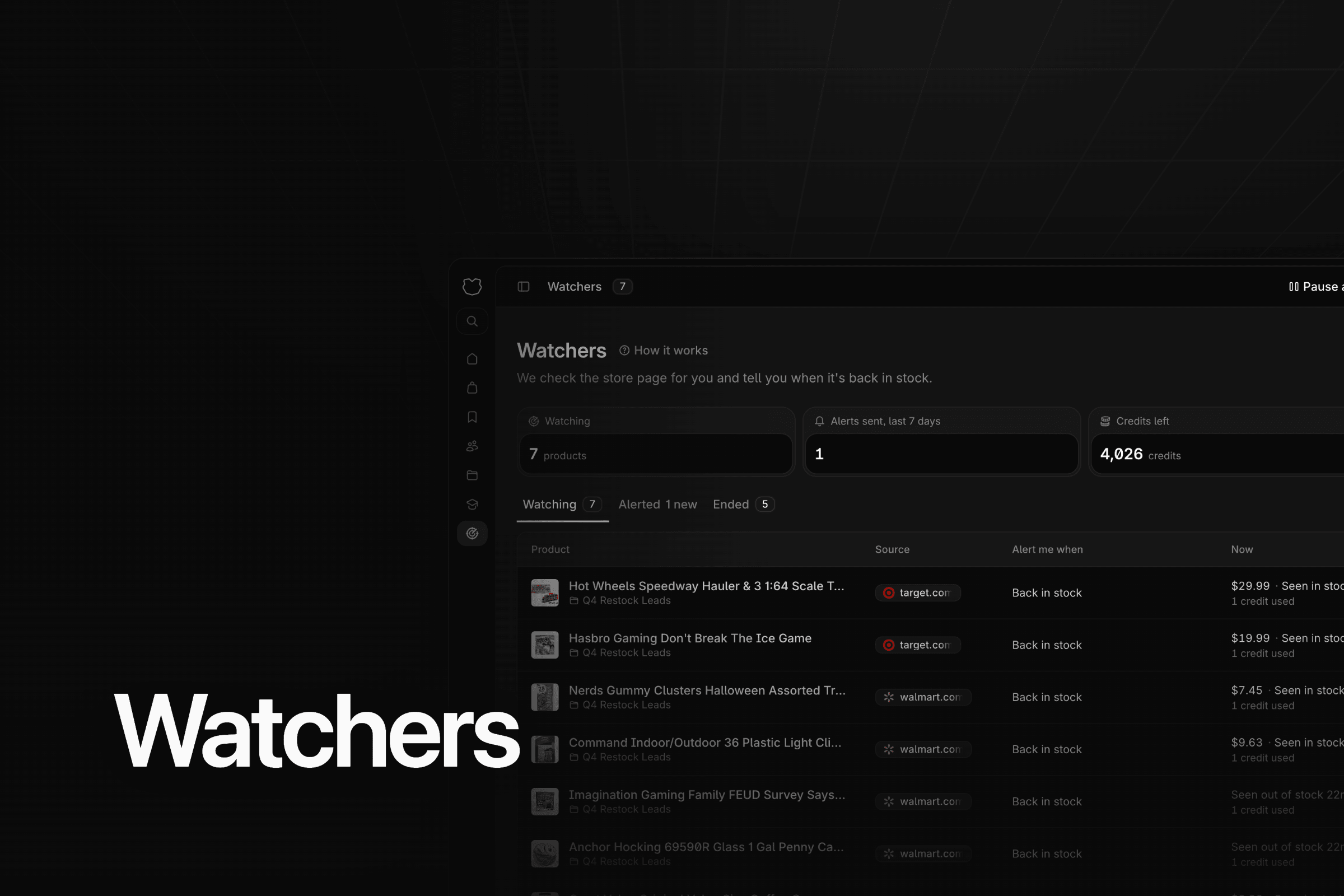
Finding profitable products has always been the hardest part of this business.
And when you finally find one, it's usually out of stock.
You run the numbers. The ROI works. The sales are there. You're not gated. Then you click through to the store and it says sold out. Or a friend in your Discord says they're making money on a product, and by the time you look, it's gone.
So you save it. You tell yourself you'll check back. If you use the calculator or storefront stalker, you've probably saved a lot of products like that. Until now, the only way to know when they came back was to keep checking.
Starting November 1st, you don't have to.
Why out of stock products are worth watching
An out of stock product isn't a dead lead. Nobody else can buy it right now either.
When the store restocks, the sellers who notice first buy at the source price. Everyone who finds out a day later gets what's left, or nothing.
There's another reason. A lot of what you find by storefront stalking is already sold out when you see it. The seller you're stalking bought the stock. That's how you found the product in the first place. If you only buy what's in stock today, you skip a big part of what stalking turns up.
If you're newer to this, start with what Amazon arbitrage looks like in 2026.
How sellers check for restocks by hand
Here's what most of us have been doing.
- A spreadsheet of out of stock links you open every morning
- Bookmarks you click through between other work
- The store's own "notify me" email, one product at a time
- Restock accounts and Discord channels for the big stores
Each one works for a handful of products.
Why that breaks down
It doesn't scale, and it doesn't run while you sleep.
Ten products is fine. Fifty products across Walmart, Target and a few smaller shops is an hour a day of opening tabs. Most of them are still sold out. You check anyway, because the day you skip is the day it comes back.
Store emails land in a dozen inboxes with everything else that store sends you. Restock channels cover the big names and miss the small shop where your best product lives.
And if you check once a day, you can be a whole day late. On a product other sellers are waiting on too, that's the difference between buying units and reading "out of stock" again.
Welcoming Watchers
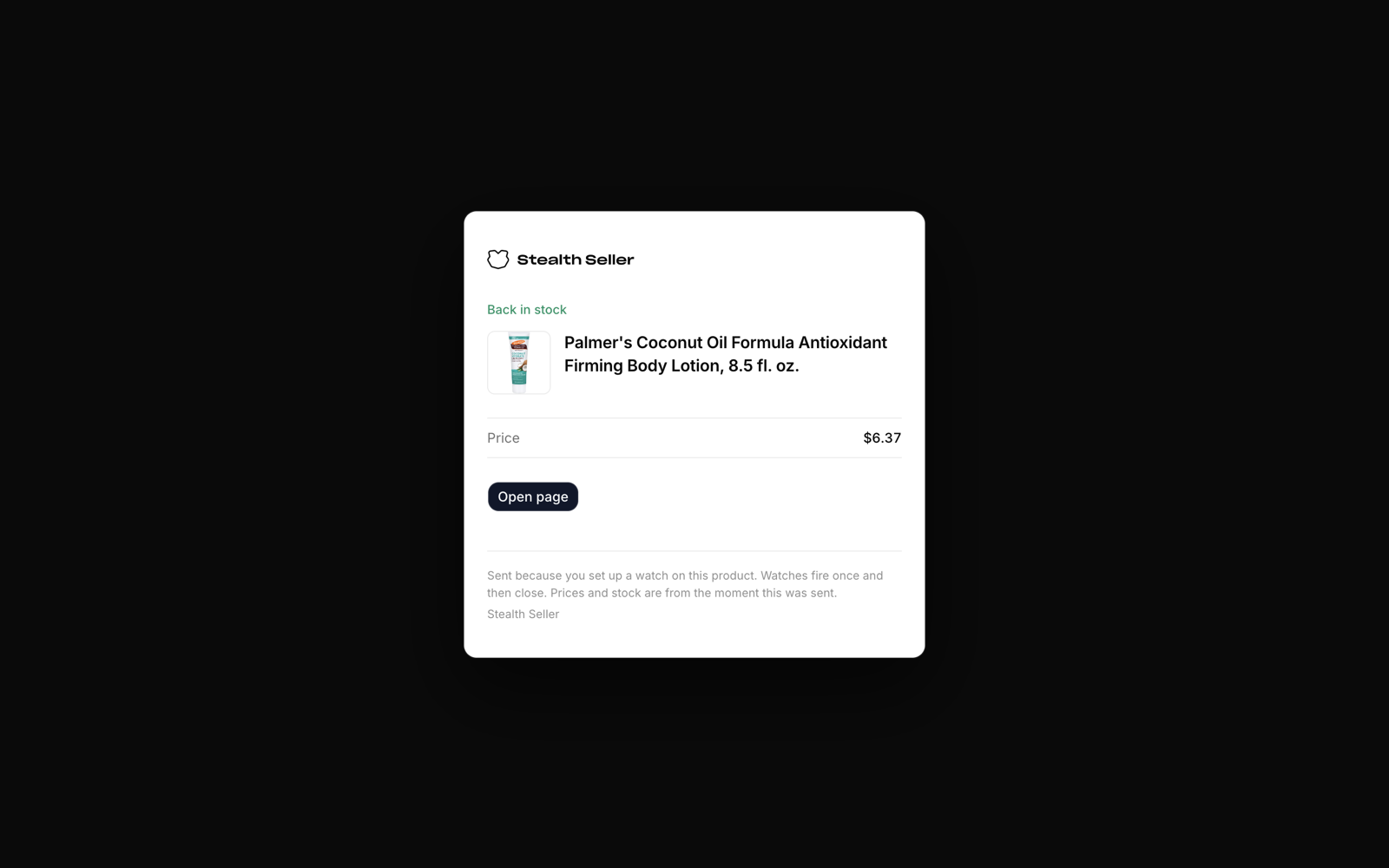
Watchers is our product monitoring tool. Add a product from your folders and we'll keep checking it at the store where you buy it. When it's back in stock, you get an email and a notification in the app.
That's the whole idea. You stop checking. We check.
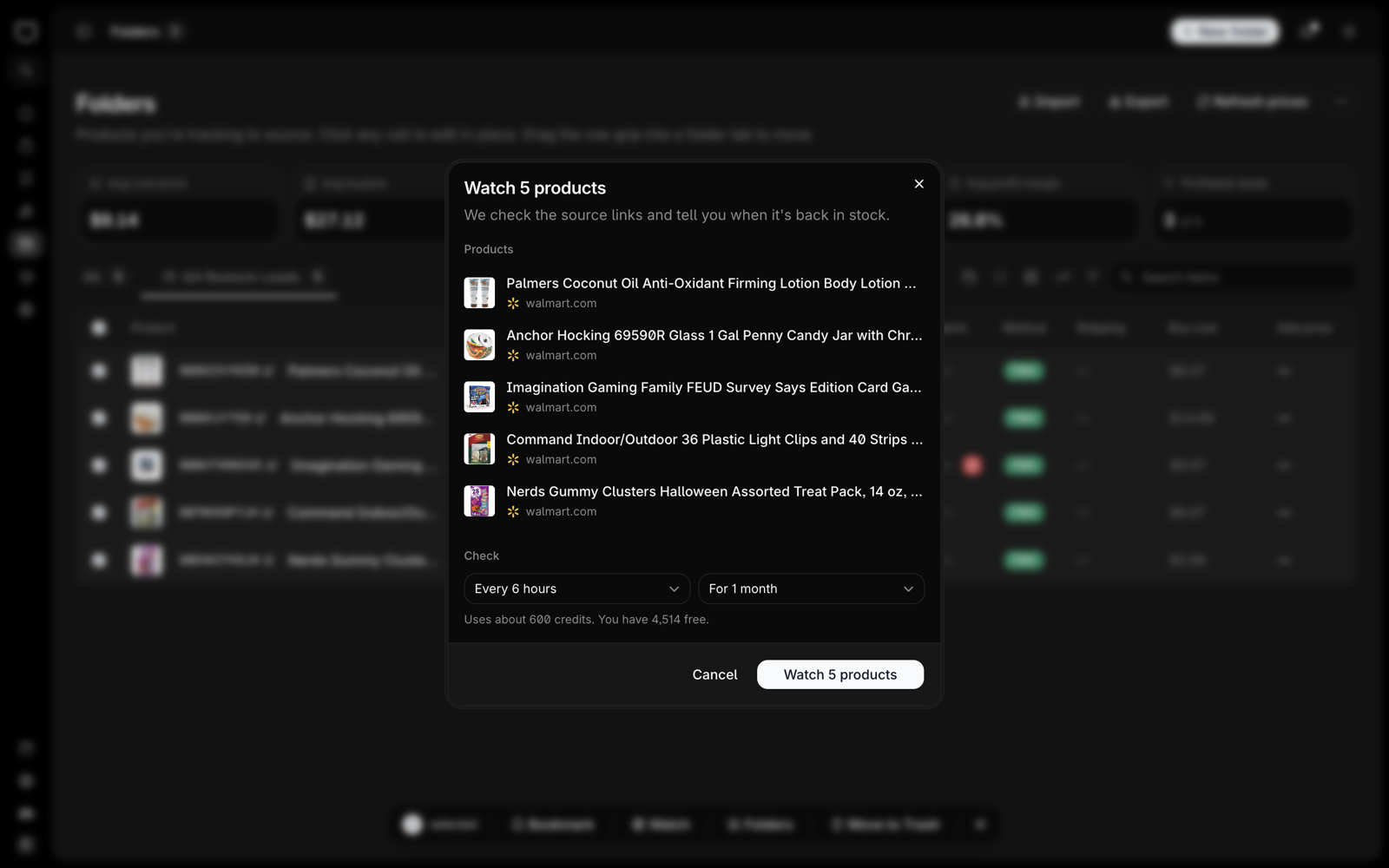
Here's how to set one up.
- Open a folder and tick the products you want to watch
- Press Watch in the bar at the bottom. Their source links come along.
- Pick how often we check and for how long
- Press Watch
You can check every 30 minutes, every 2 hours, every 3 hours, every 6 hours or once a day. A watch runs for 1 week, 1 month or 3 months. Every 6 hours for 1 month is where it starts.
There are two other ways in.
- In the product feed, Watch is in a card's bookmark menu
- On the Watchers page, Watch a link takes a product page you paste. Paste the store page where you buy it, not the Amazon listing.
What happens when it restocks
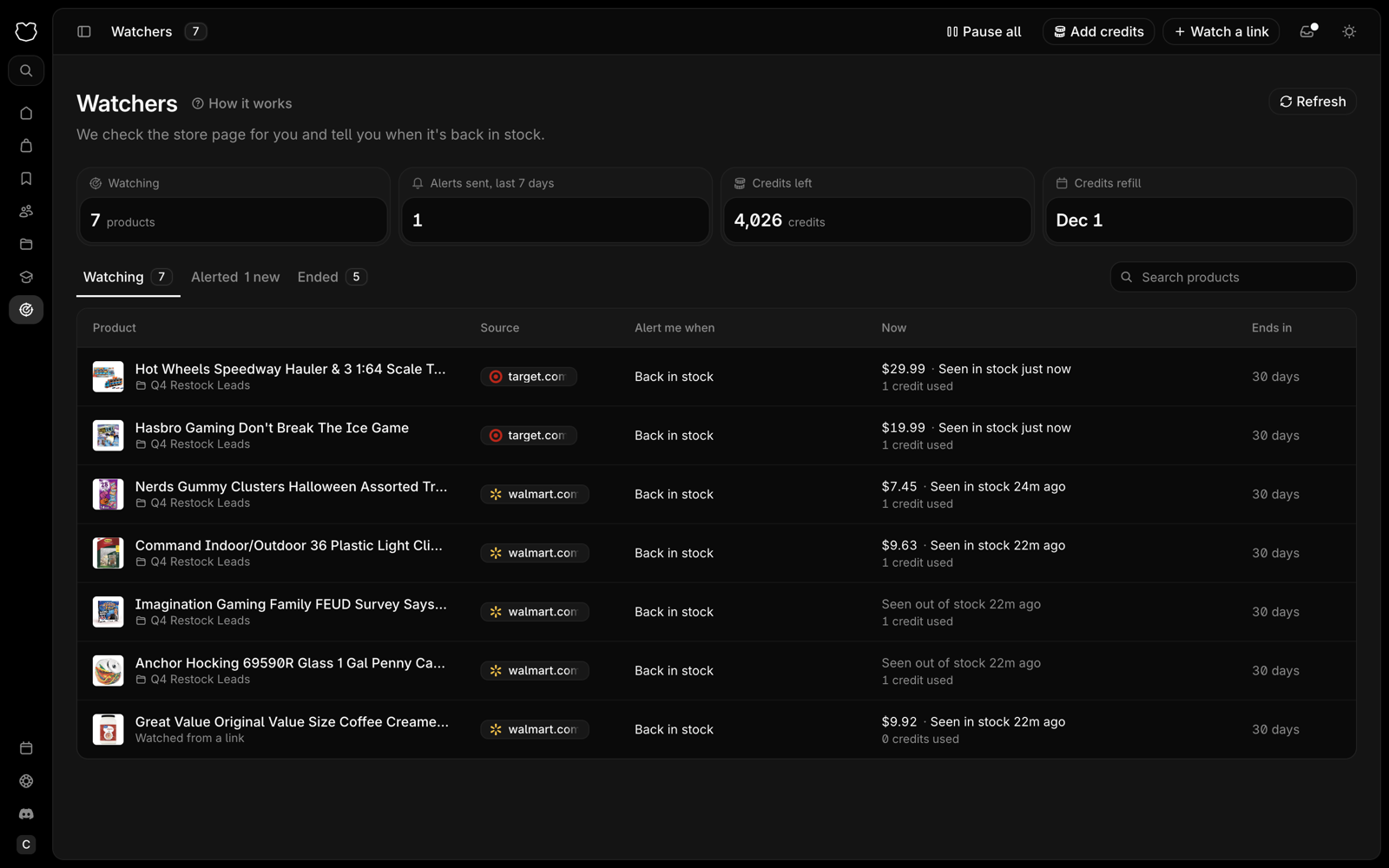
We don't trust one page load. A product only counts as back in stock once two reads agree, so one glitchy page doesn't send you running to the store.
Then you get the email and the notification. The product moves to the Alerted tab on the Watchers page. Each watch alerts once. If you want to keep watching after that, press Watch again.
Which stores work
Watchers reads product pages on Walmart, Target, Best Buy, GameStop, Costco, Sam's Club, Lowe's, The Home Depot, Walgreens, Kohl's, Ulta, Sephora, Chewy, Michaels, Hobby Lobby, LEGO, Funko and POP MART, plus a long list of smaller shops. The full list is on the Watchers page.
Not every site works yet. If you paste a link from a store we can't read, we tell you right away. Ask us for it and we'll tell you when it's in.
What it costs
Watchers runs on credits. One credit is one check on one store. Every plan comes with credits each month.
- Basic gets 5,000 a month
- Mini Ultra gets 12,000 a month
- Ultra gets 36,000 a month
A product checked every 6 hours for a month uses 120 credits. Once a day for a month uses 30. So on Basic that's about 40 products at every 6 hours, or over 160 at once a day. A product with two source links is two checks.
Monthly credits reset each billing period and don't roll over. Need more? Packs are 1,000 credits for $10, 2,500 for $20 or 7,500 for $50, and pack credits never expire. Credits only pay for watchers. Tracking sellers never uses them.
A simple restock routine
- Save sold out products to a folder the moment you find them, with the source link
- Watch the fast movers every 30 minutes or 2 hours and the rest once a day
- Run the numbers before it restocks, so you already know your max cost when the email lands
- When it fires, look at the Amazon listing again before you buy. Price and sellers can move while a product is out.
FAQ
Do I need a tool to track restocks?
No. Bookmarks and a spreadsheet work for a few products. Watchers does the checking for you once the list gets long.
What if the product is in stock when I add it?
Then there's nothing to alert on yet. A back in stock alert goes out after we've seen it sold out and then back in stock.
Can I watch an Amazon listing?
No. Watchers checks the store where you buy, not where you sell. Paste the store's product page.
Does it alert on price drops?
Not right now. New watches alert on back in stock.
Can I turn off the emails?
Yes, in your notification settings. Each watcher alert stays on in at least one place, email or the app.
What happens if I run out of credits?
Your watches stop being checked until you have credits again, from your monthly refill or a pack. They pick back up on their own. You can also turn on auto reload, which buys the smallest pack when you're almost out.
Stop checking, start watching
Open the folder you already have. Tick the sold out products. Press Watch.